From Pinterest to Proposal: Turning Floral Inspiration into Profitable Orders
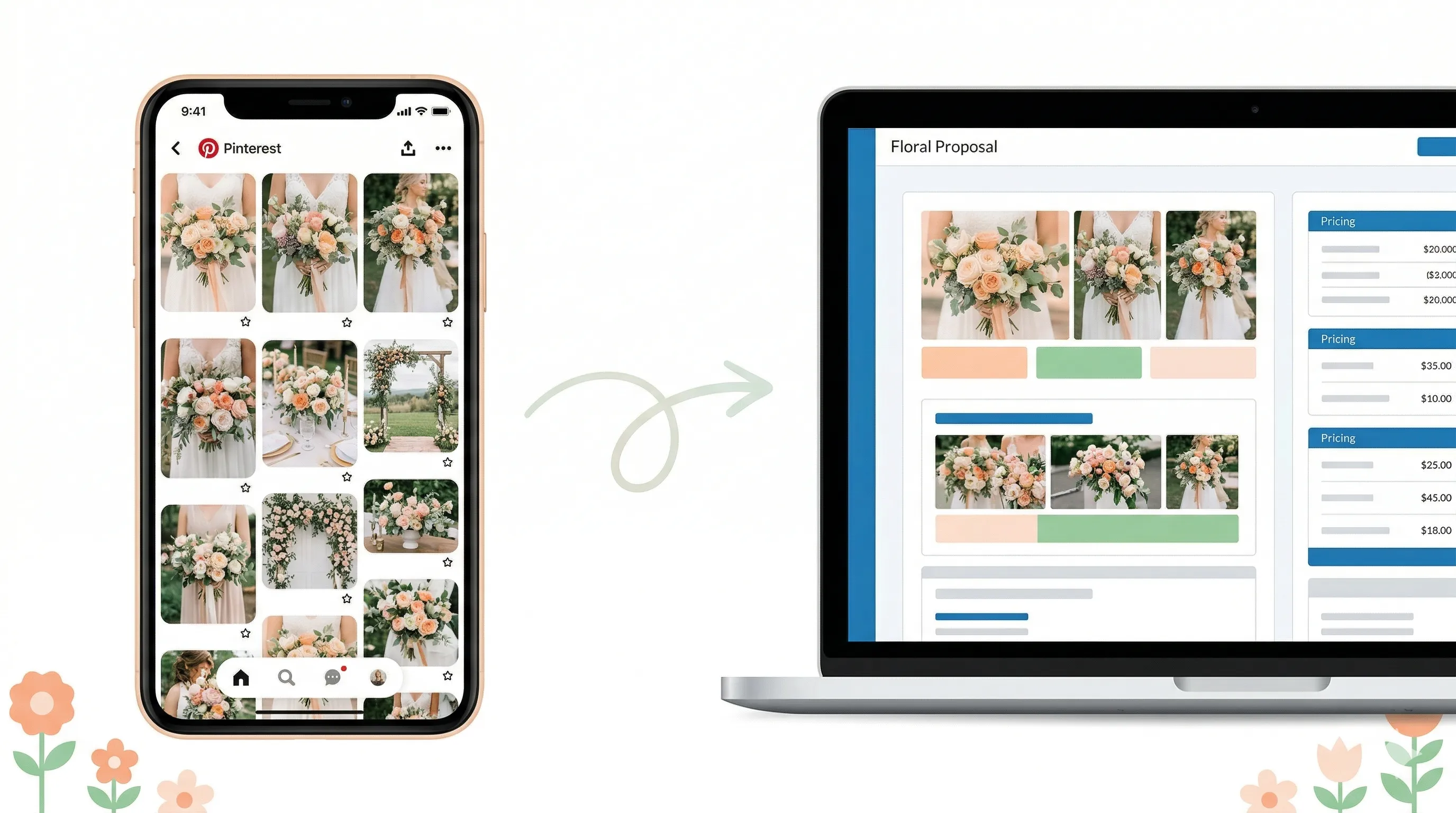
Every wedding florist consultation starts the same way. The client pulls out their phone, opens Pinterest, and says some version of: “So I have a few ideas…”
What follows is a board with 200 pins. Garden roses next to wildflowers. Cascading bouquets next to tight, structured rounds. A moody burgundy arch next to a pastel aisle runner. Somewhere in there, a photo of a cake. And maybe a bridesmaid dress from 2019 that has nothing to do with flowers.
Your job is to look at that board and extract a coherent floral vision that matches their taste, fits their venue, works within their budget, and can be translated into a priced, professional proposal. In 24 hours, ideally. While you’re also producing two other weddings this week.
The gap between “I have a Pinterest board” and “Here’s your signed contract” is where most florists either lose hours, lose the client, or lose margin. Usually all three.
This guide documents the workflow that closes that gap. Five steps. Pinterest board to profitable proposal to signed agreement.
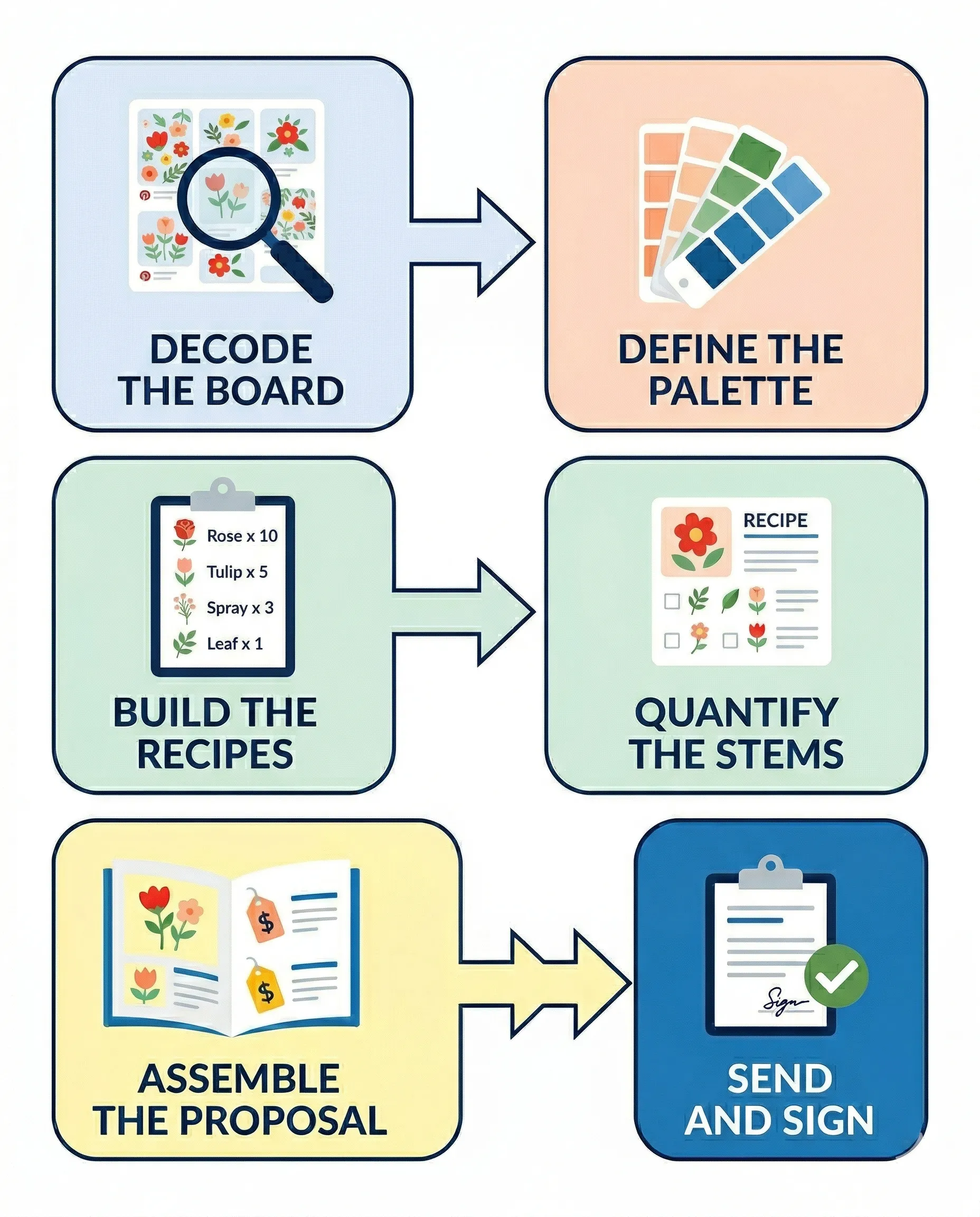
Step 1: Decode the Board
A Pinterest board is not a design brief. It’s a mood dump. The client didn’t curate it with a florist’s eye. They pinned things they liked over weeks or months, often without a clear sense of what connects them.
Your first job is to find the signal in the noise.
Look for patterns, not individual pins. Does the board lean organic and loose, or structured and formal? Are the colors warm or cool? Do the arrangements tend toward lush and full, or minimal and architectural? Is there a consistent flower type showing up across multiple pins?
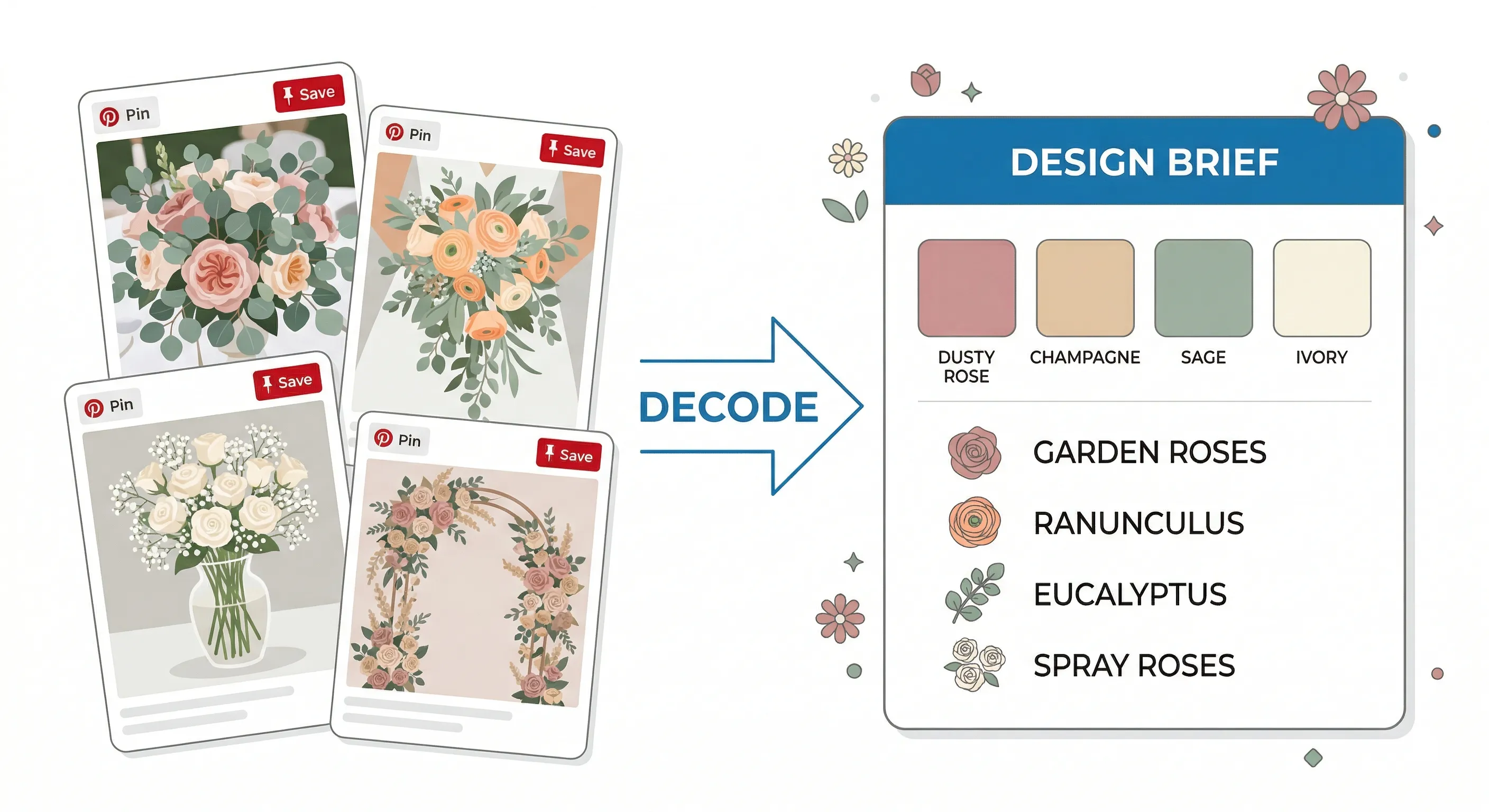
Three patterns are usually enough to anchor the design direction. Maybe it’s “loose garden style, blush and mauve palette, lots of texture.” Or “modern and clean, mostly white, heavy on orchids and calla lilies.” Those three phrases become your internal compass for everything that follows.
The pins that don’t fit the pattern? Ignore them. The client pinned them on a Tuesday at midnight. They don’t remember why. If you try to incorporate every pin, you’ll end up with a proposal that looks like a floral identity crisis.
One useful technique: during the consultation, open the Pinterest board with the client and ask them to pick their top five pins. Five. Not fifteen. Force them to prioritize. The pins they choose will tell you more about what they actually want than the 195 they scrolled past.
Step 2: Define the Palette and Ingredients
Once you’ve decoded the board’s patterns, translate them into a concrete palette and ingredient list. This is where you shift from “inspiration” to “design.”
A palette means two things for a florist. Color palette (the three to five colors that will define the look) and ingredient palette (the specific flowers, foliage, and textures you’ll use to achieve it).
Start with color. Pull the dominant hues from the client’s top pins and name them specifically. “Dusty rose, champagne, sage, and ivory” is actionable. “Pinkish and greenish” is not. Specific color names give you precision when ordering wholesale and consistency when communicating with the client.
Then map those colors to available stems. This is where your expertise earns its keep. The client doesn’t know that the “blush peony” they pinned is a Sarah Bernhardt that’s only available for six weeks in late spring. You do. Your ingredient list should include two or three primary blooms, two or three supporting textures, and one or two foliage types — all chosen for visual impact, seasonal availability, and margin.
Write this down. Color palette plus ingredient list becomes the foundation for every recipe you build in the next step. It also becomes the visual language of the proposal itself.
Step 3: Build the Recipes
This is where the creative work meets the operational work. For each arrangement in the proposal (bouquet, centerpiece, ceremony piece, etc.), you need a recipe that specifies every stem, every material, and every cost.
A recipe is the difference between “this centerpiece is about $150” and “this centerpiece uses 8 garden roses, 5 spray roses, 4 ranunculus, 3 stems of eucalyptus, and 2 stems of Italian ruscus in a 6-inch gold compote with a foam-free mechanic, totaling $143.50 at 3.5x markup.”
The first version is a guess. The second version is a business decision. One protects your margins. The other hopes for the best.
Building recipes takes time the first time. But once you have a library of tested recipes with known costs and margins, future proposals assemble much faster. A garden-style centerpiece recipe you built six months ago can be adapted for a new client in minutes — swap the roses for ranunculus to match the new palette, adjust the quantities, and the math updates.
This is also where the Pinterest board comes full circle. The inspiration images the client showed you? They inform the style and density of each recipe. A pin showing a lush, overflowing centerpiece tells you the client expects abundance, which means more stems, which means higher cost. A pin showing a minimal bud vase with three stems tells you the opposite. The recipe reflects that expectation in hard numbers.
Step 4: Assemble the Proposal
Here’s where most florists hit a wall. You’ve done the creative work. You know the palette, the ingredients, the recipes, and the prices. Now you need to present it all in a document that looks professional, tells a visual story, and makes the client feel confident enough to sign.
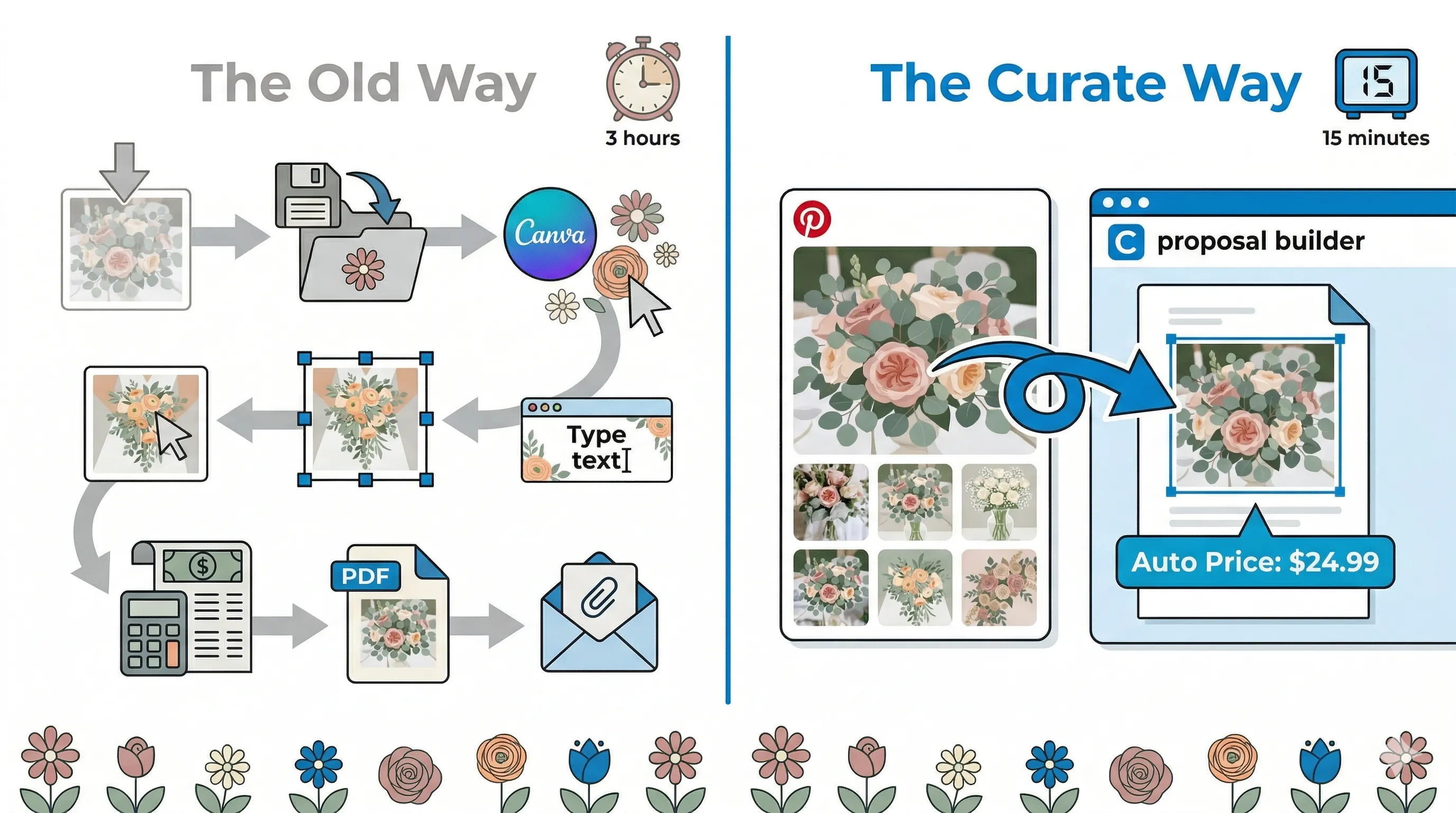
The traditional approach is painful. Download inspiration images from Pinterest. Save them to a folder. Open Canva or Word. Drop images in one by one, resizing and repositioning each one. Type out descriptions. Manually calculate prices. Format the layout. Export a PDF. Realize you forgot to update the centerpiece price after swapping the roses. Reopen. Fix. Re-export. Email.
That process takes two to four hours per proposal. And the result is a static PDF that breaks the moment anything changes.
The faster approach is building proposals inside a system that was designed for this exact workflow. With Curate, the inspiration-to-proposal step collapses. You can drag an image directly from the client’s Pinterest board in your browser and drop it into the image placeholder in the proposal builder. It imports automatically. No downloading, no saving to folders, no resizing in a separate design tool.
That might sound like a small thing. It’s not. Over 30 proposals a season, eliminating the download-save-upload-resize cycle for every image in every proposal recovers hours of production time. And the images end up exactly where the client’s inspiration lives — inside a proposal that also contains the pricing, the recipes, and the contract. Connected, not scattered.
The proposal itself should mirror the client’s vision back to them, organized and priced. Lead with a mood board or palette section (using their own inspiration images), then walk through each element of the event with a visual, a description, and a price. Ceremony, personal flowers, reception, and any add-ons.
Step 5: Send, Sign, Done
The proposal is built. The images match the client’s vision. The pricing is accurate down to the stem. Now send it.
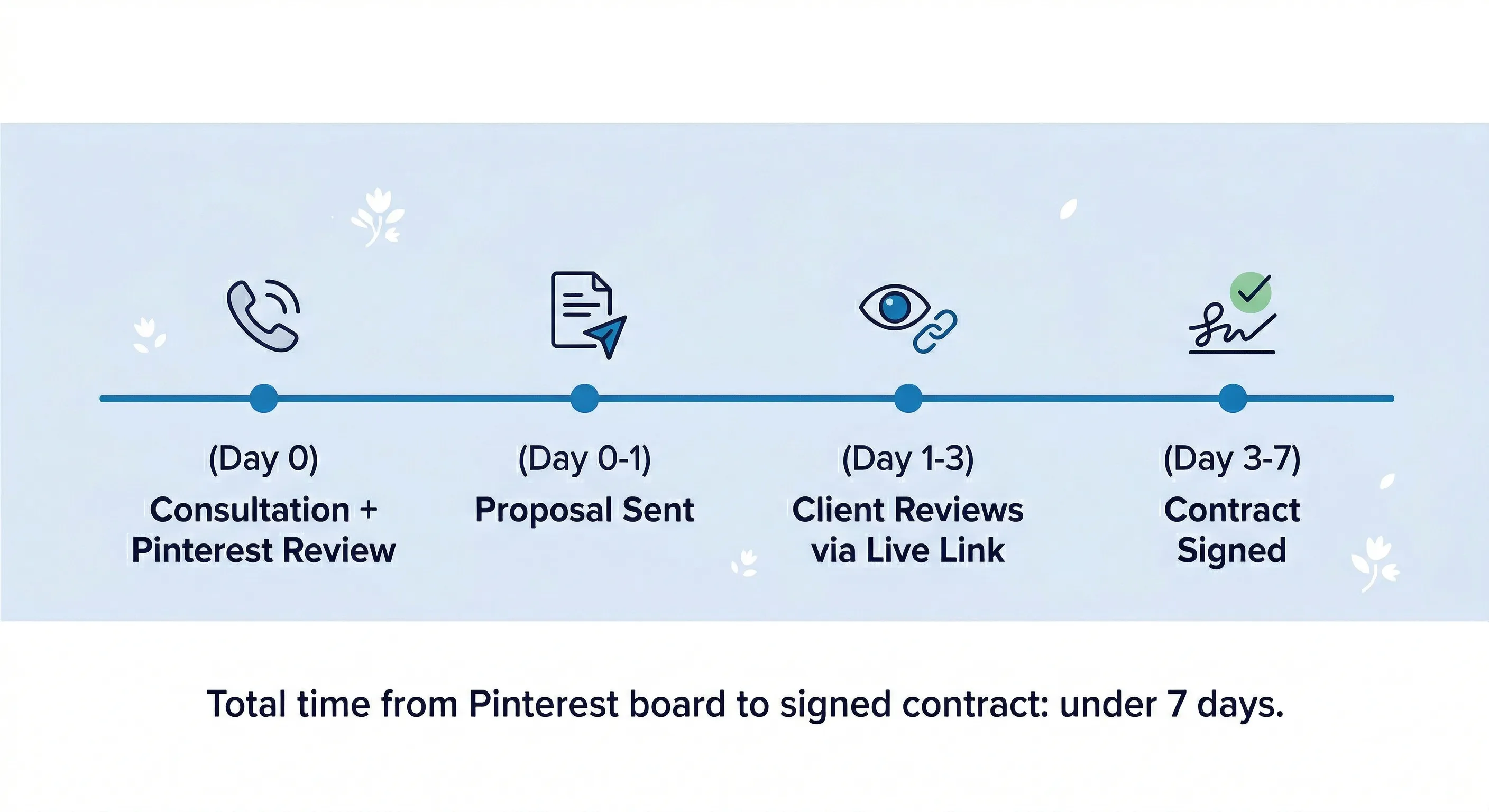
The speed between “proposal ready” and “proposal in the client’s hands” matters more than most florists think. According to Proposify’s research, winning proposals are typically acted on within two days. Every day you sit on a finished proposal is a day the client’s excitement cools and a day your competitors might get their quote in first.
Send the proposal as a live link, not a PDF attachment. A live link means the client always sees the most current version. When they want to swap the arch for a garland next week, you update the proposal and it’s reflected instantly. No re-exporting. No “here’s the updated version, sorry for the confusion” emails. No version chaos.
And when the client is ready to commit? The contract should be right there inside the proposal. They review the floral plan, love what they see, and sign the agreement in the same flow. No separate email with a DocuSign link. No gap between “yes” and “signed.” That gap is where bookings go quiet.
The best Pinterest-to-proposal workflows end with a signed contract within a week of the consultation. Some close same-day. The variable isn’t the client’s decision speed. It’s how fast and how seamlessly the florist can translate inspiration into a professional, signable document.
The Mistakes That Slow Everything Down
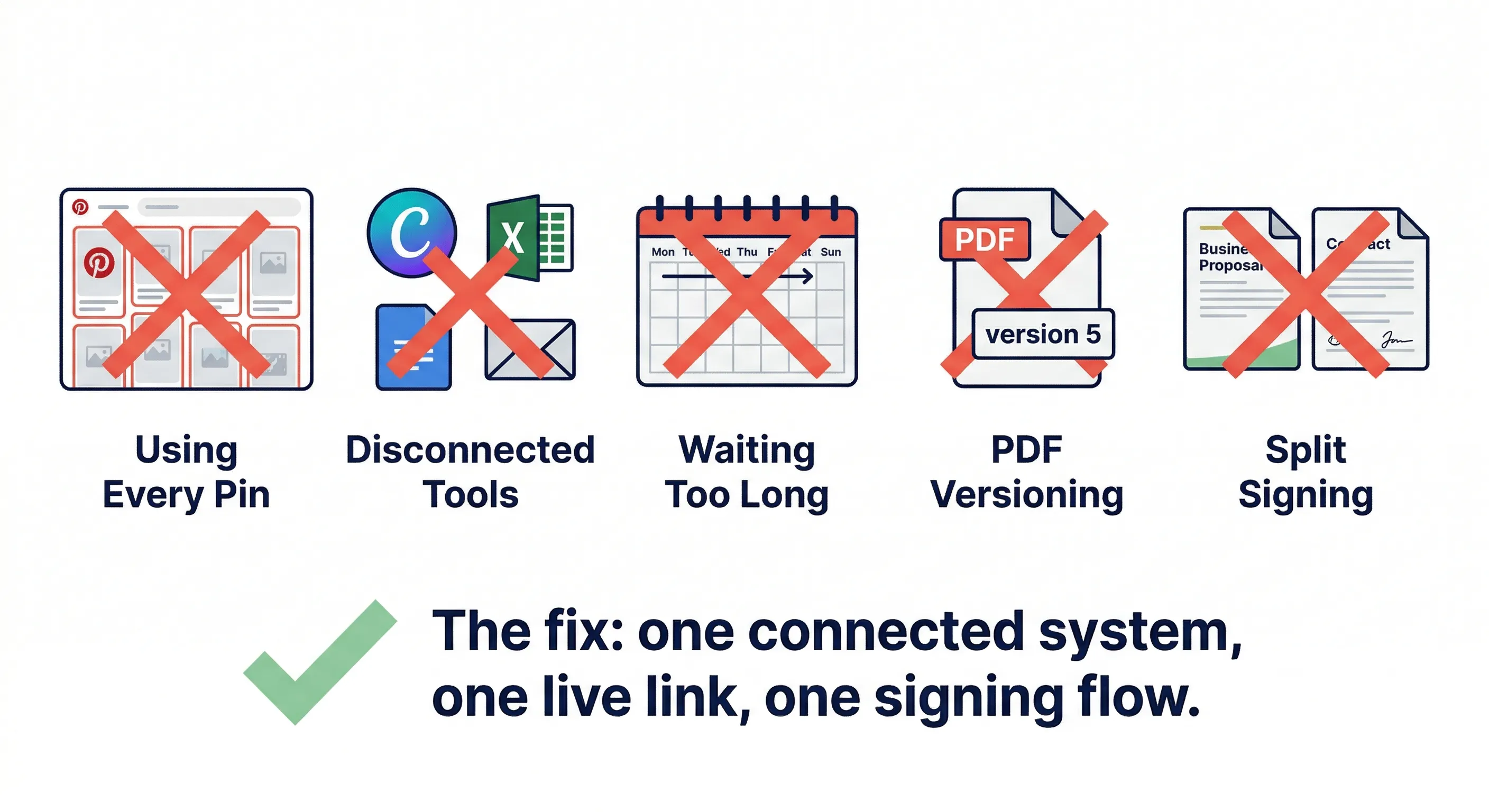
A few common pitfalls that break the Pinterest-to-proposal workflow.
Trying to incorporate every pin. The board is inspiration, not a spec sheet. Edit ruthlessly. Three patterns. Five top pins. That’s your brief.
Building proposals in tools that aren’t connected to your pricing. If your mood board lives in Canva but your pricing lives in a spreadsheet and your contract lives in a separate document, you’re doing triple the work and creating triple the room for errors.
Waiting too long to send. Perfectionism kills proposal speed. A polished proposal sent in 24 hours beats a perfect proposal sent in a week. The client doesn’t need perfection. They need confidence that you understood their vision and can execute it within their budget.
Sending a PDF instead of a live link. PDFs are dead documents. The moment you send one, it starts aging. Every revision requires a new export and a new email. Live links stay current, reduce confusion, and let the client revisit on their own time without digging through their inbox for the latest attachment.
Not including the contract in the proposal. Every time you send a proposal in one email and a contract in a separate email, you’re adding friction. Friction creates delay. Delay kills bookings. The proposal and the contract should live in the same place so the client can go from “I love it” to “I’m booked” in one motion.
The Workflow That Compounds
The Pinterest-to-proposal workflow isn’t something you do once and forget. Every proposal you build adds to your recipe library. Every palette you define sharpens your instinct for the next consultation. Every time you reuse a tested centerpiece recipe with a minor color swap, you save 30 minutes. Over a season of 40 weddings, that’s 20 hours recovered from recipe building alone.
The florists who close the fastest and protect the best margins aren’t doing more work per proposal. They’ve built a system where the work from the last proposal makes the next one faster. Recipes stack. Palettes repeat. Workflows tighten. And the time between “I have a Pinterest board” and “Here’s your signed contract” shrinks from a week to a day.
That’s the real competitive advantage. Not working harder. Working from a system that gets faster every time you use it.
Curate lets you drag images straight from Pinterest into your proposal builder. No downloading, no saving, no resizing. Build a visual, priced proposal in minutes and send your client a live link that updates in real time. When they’re ready, the contract is built right in. Pinterest board to signed contract — in one system.